Resume, Cover Letter, Jobs, Interview and Career Tips
  • Resumes

    Resume Examples

    View All
    • accountant- resume example View Example

      Accountant Resume Example

    • finance resume example View Example

      Finance Resume Example

    • nurse resume example View Example

      Nurse Resume Example

    • receptionist resume example View Example

      Receptionist Resume Example

    space resume megamenu

    How to Write a Resume

    Learn all the ins and outs of creating a job-winning resume.

    Resume Templates

    Choose from a selection of recruiter-approved resume templates.

    Resume Builder

    We’ll provide expert guidance for every section of your resume!

    Resume Formats

    • Combination Resume
    • Chronological Resume
    • Hybrid Resume
  • Cover Letters

    Cover Letter Examples

    View All
    • accountant- resume example

      Accounting Cover Letter Example

    • receptionist resume example

      Administrative Cover Letter Example

    • nurse resume example

      Customer Service Cover Letter Example

    • finance resume example

      Nursing Cover Letter Example

    space tips megamenu

    How to Write a Cover Letter

    Master the art of writing a cover letter.

    Cover Letter Templates

    Choose from a selection of professional cover letter templates.

    Cover Letter Builder

    Ready to impress employers with a great cover letter? Build a cover letter now!

    Cover Letter Formats

    • Simple Cover Letter
    • Career Change Cover Letter
    • Interview Follow-Up Letter
  • Career Resources
    • Resume Tips

      Read a selection of helpful articles written by resume professionals.

    • Resume Templates

      Choose from a selection of recruiter-approved resume templates.

    • Interview Tips

      Learn everything you need to know to ace the interview.

    • Cover Letter Tips

      Learn more about cover letters and why they are important.

    • Job Tips

      Get tips on everything from salary negotiation to job etiquette.

    • Career Tips

      Utilize over a dozen articles that will help with your career journey.

    resources-panel-graphic

    Get Started With Our Resume Builder!

    Easily create an out-of-this-world resume in minutes.

    Create Your Resume
  • Contact us
  • sign in
Create Resume
Home / Career Advice / Resume Tips / Resume Genius Reviews
Resume Tips

Resume Genius Reviews: Builders, Tools, and Pricing

Cindi Cervone CarlsonCindi Cervone Carlson
Updated May 26, 202661

We review Resume Genius including its resume builder, pricing plans, free tools, and Trustpilot ratings to help you decide if it's right for you.

Key takeaways

  • Resume Genius is a legitimate company with a TrustScore of 4.6 on Trustpilot and over 44,700 reviews
  • Their resume builder tool costs money to use and is a recurring subscription if not canceled
  • Resume Genius also offers many free and paid tools and resources on their website

Customer reviews of Resume Genius

Resume Genius has a score of 4.6 out of 5 on Trustpilot, and over 44,700 reviews.

Positive reviews

Many customers are happy with Resume Genius and describe it as “helpful,” “easy to use,” and “useful.”
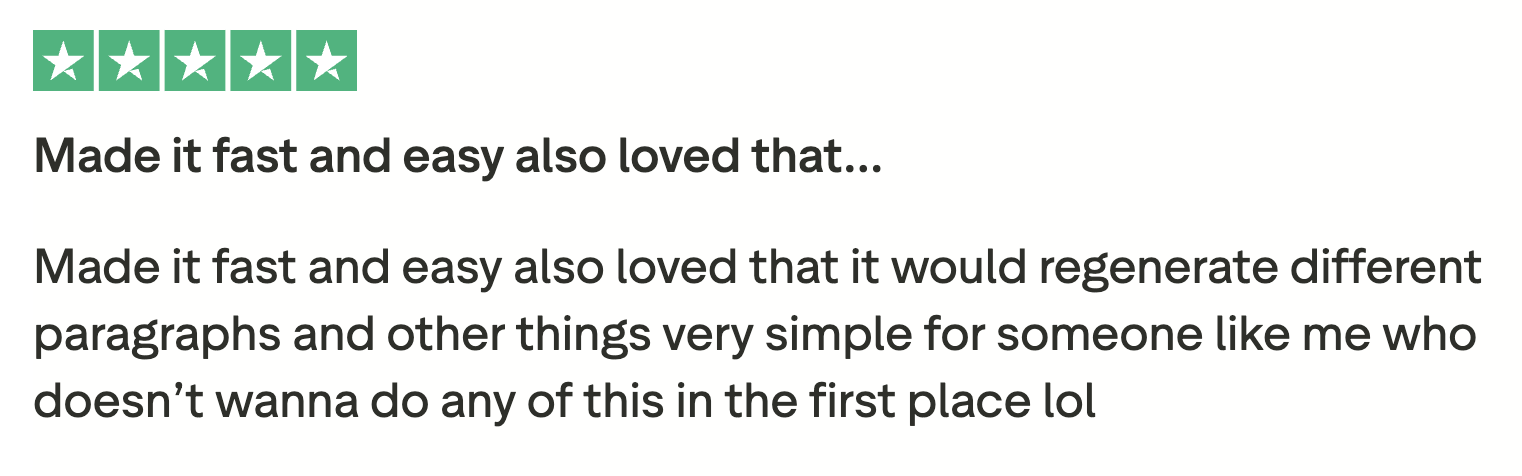
Five star review of Resume Genius from the website Trustpilot. The review says: "Made it fast and easy also loved that it would regenerate different paragraphs and other things very simple for someone like me who does't wanna do any of this in the first place lol."

Negative reviews

Some customers who left negative reviews pointed out that Resume Genius doesn’t provide options for country-specific CV formats, like New Zealand and Australia.
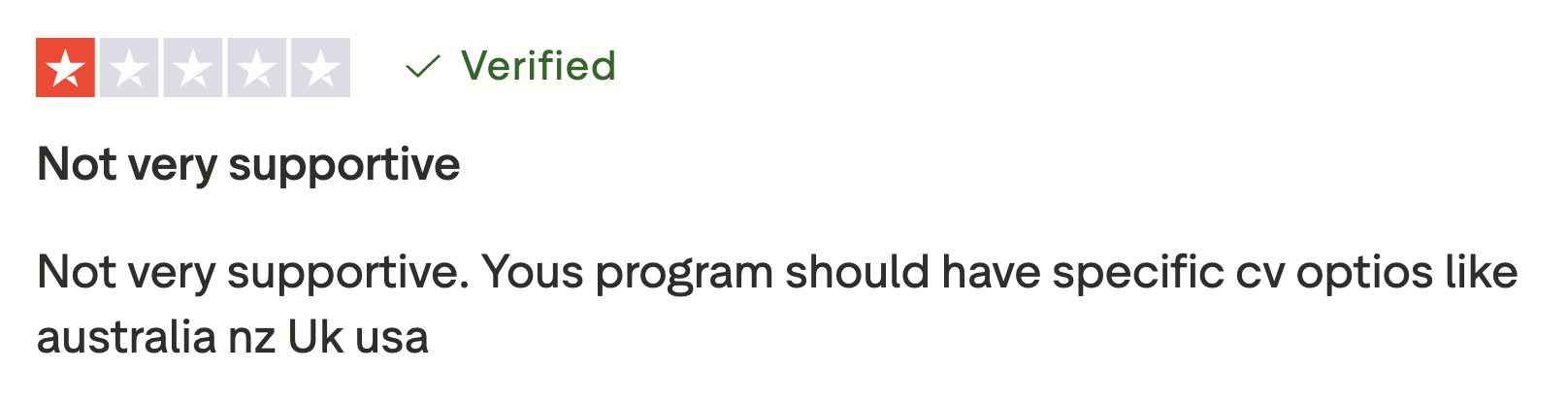
One star review of Resume Genius from the website Trustpilot. The review says, "Not very supportive. Yous program should have specific cv optios like australia nz Uk usa."

How much does Resume Genius cost?

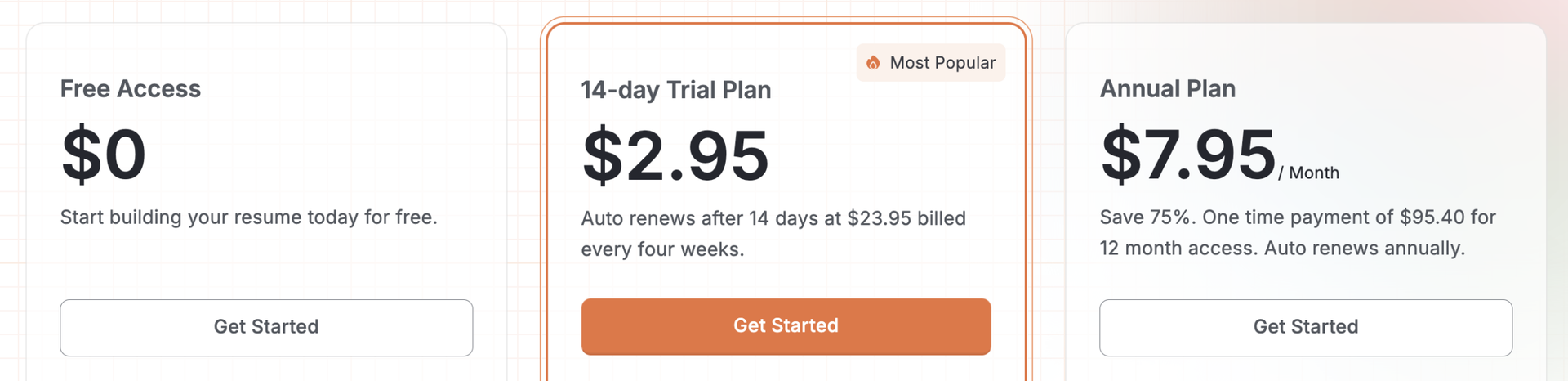
A screenshot from the Resume Genius website showing three different pricing plans. Number 1 is free access for $0. Number 2 is a 14-day trial plan for $2.95 that changes to an auto-renewing $23.95 monthly payment after 14 days. Number 3 is an annual plan that automatically charges the customer $95.40 each year.

Resume Genius’s resume builder can be used for free until the download stage, where you can download your resume as a plain text file for free, or pay to download it as a Word document or PDF with a premium template.

Access is subscription-based, and there are two paid plans: monthly, and annual.

Monthly plan with 14-day trial

The monthly plan starts as a 14-day trial for $2.95 USD. It can be canceled at any time during the trial period.

After 14 days, this plan turns into an auto-renewing monthly subscription that charges your account $23.95 every four weeks.

Annual plan

The annual plan is an auto-renewing yearly subscription that charges your account $95.40 USD every year.

This single yearly payment averages out to $7.95 USD per month.

Resume Genius builder walkthrough
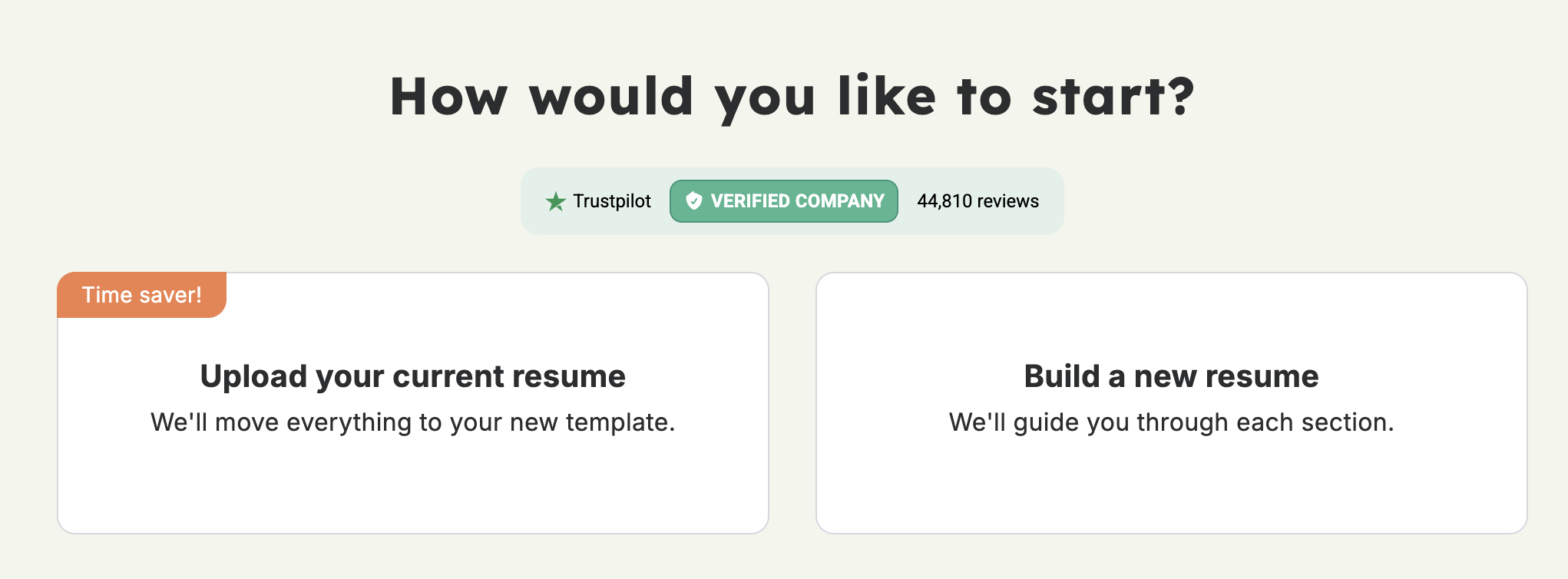
A screenshot of the first page of the Resume Genius resume builder with text reading "How would you like to start?" There are two buttons that say "Upload your current resume" and "Build a new resume".

To start, the builder will ask you if you want to build a new resume or upload an existing resume.

If you choose to create a new one, it’ll ask you a few questions about your experience and education level. Then, it will recommend resume templates based on your answers.

You can choose one you like or wait until later to choose.
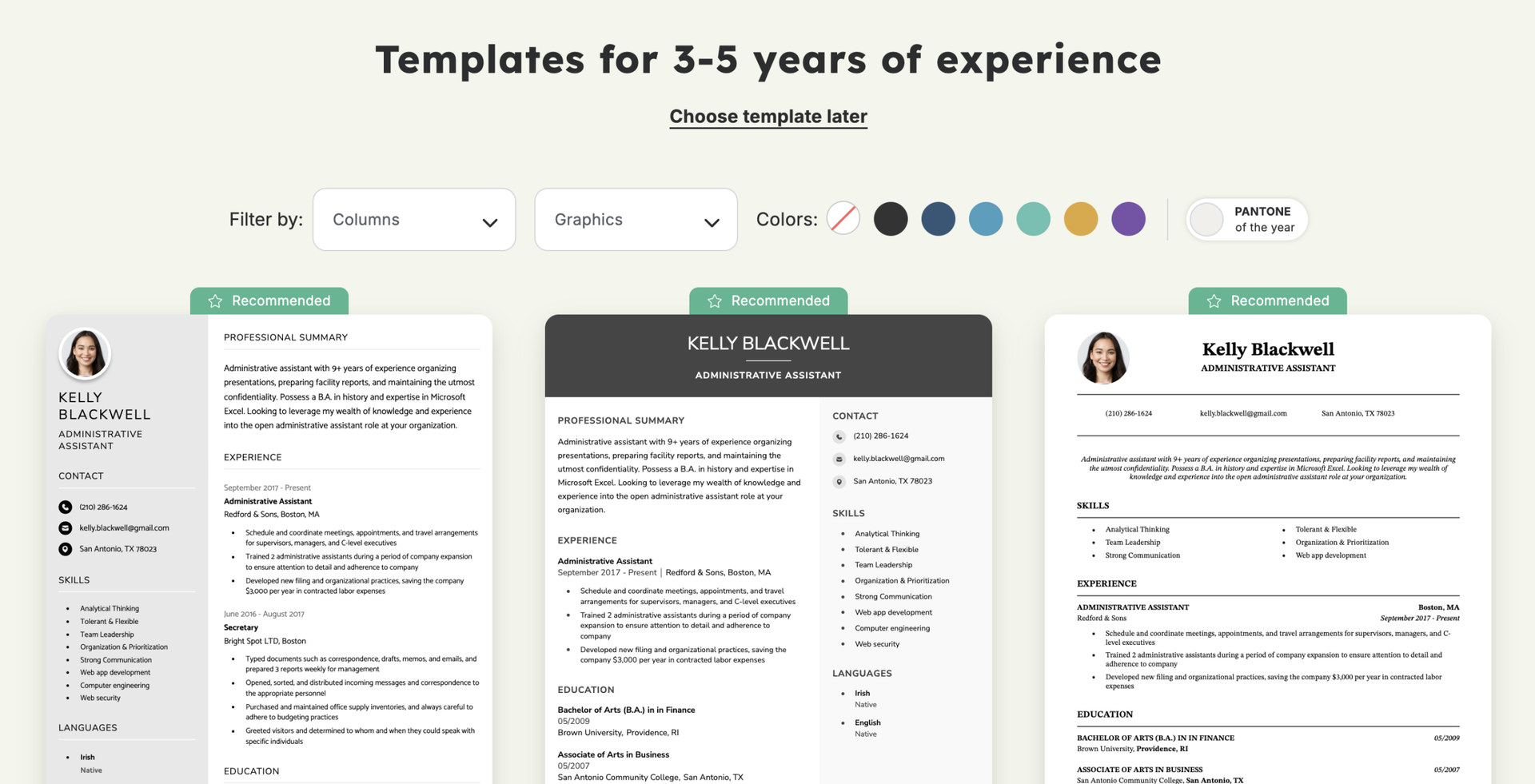
A screenshot of the Resume Genius resume builder showing suggested resume templates.

Enter your information

Fill in your contact details, including your name, phone number, email address, and location.

After you choose “Save & Continue,” the builder will ask if you want to create a free account. You can create one to save your progress, or skip this step for now.

Add your work history
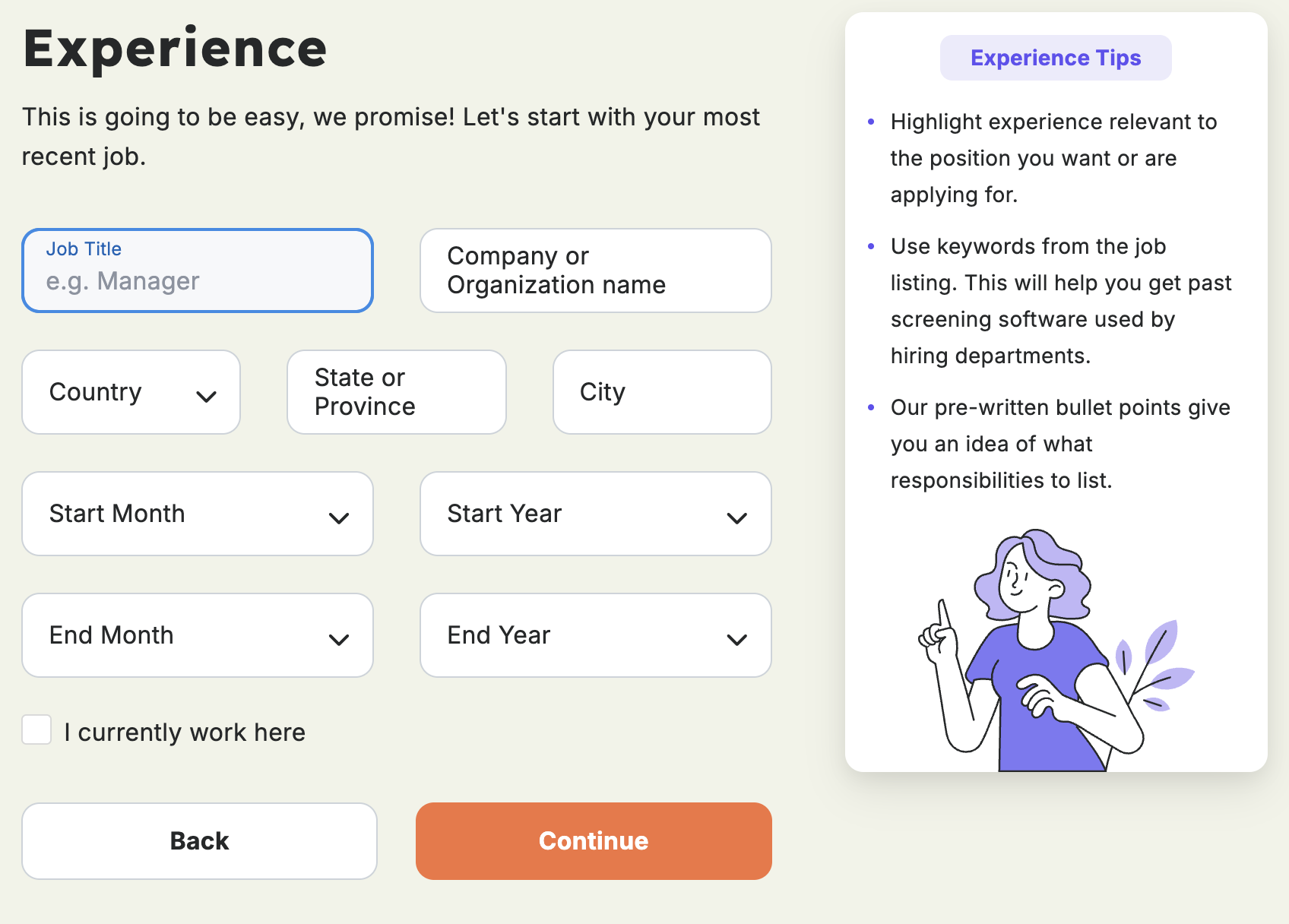
A screenshot of the Resume Genius resume builder, showing a screen where you enter your professional experience.

Enter your job title, company name and location, and dates of employment for your current or most recent job.

On the next page, you can choose and edit AI-generated bullet points for your job or write your own from scratch:
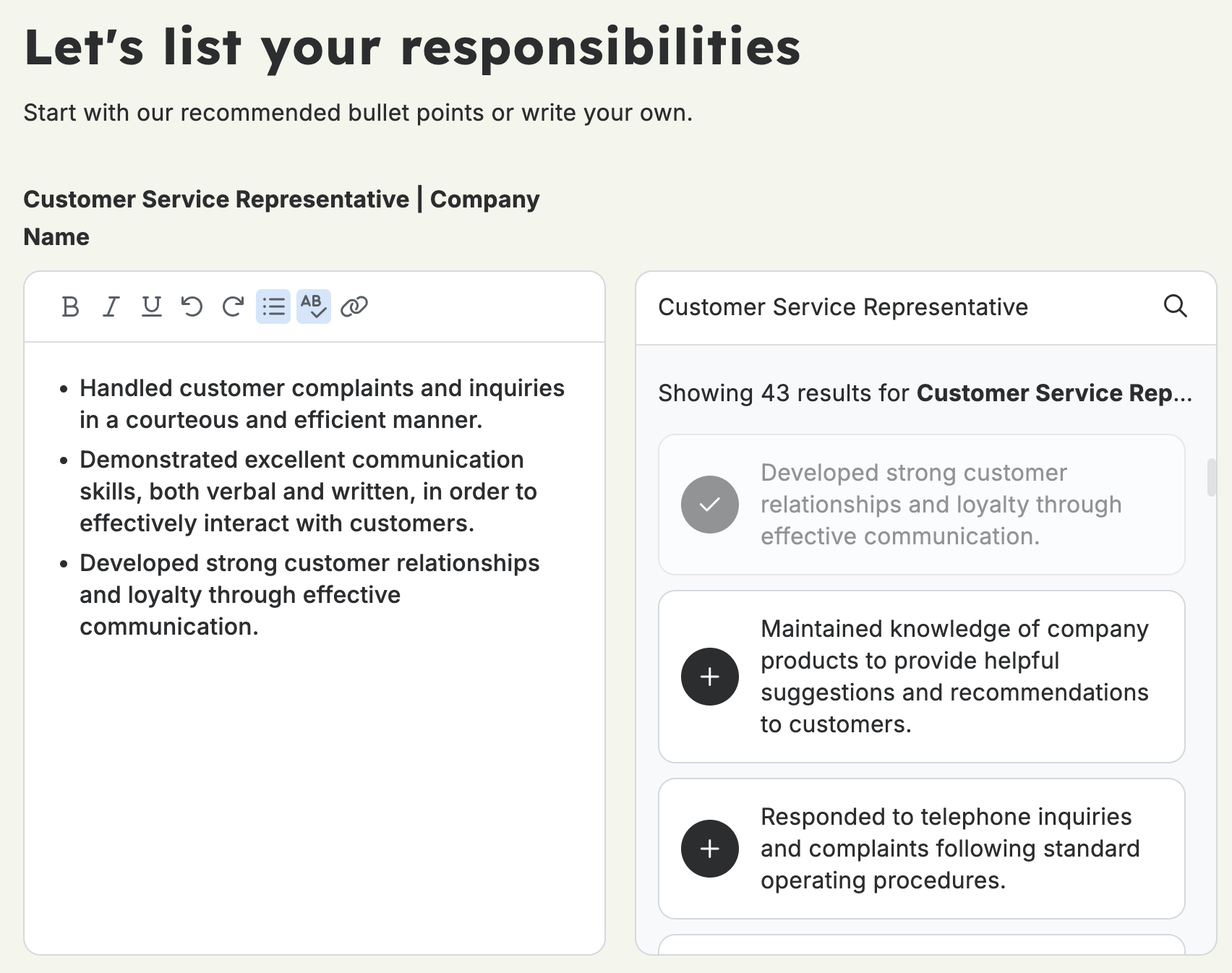
A screenshot from the Resume Genius resume builder showing work a experience bullet point editor. The user can write their own, or choose from AI generated bullet points.
You can repeat these steps for every job you want to add to your resume.

Fill in your education, certifications, and skills

On the next screen, you’ll add your basic education details, like degree name, school name, and graduation date.

You also have the option to add awards, honors, coursework, extracurricular activities, scholarships and grants, research projects, and GPA.

Then, the builder prompts you to add licenses and certifications.

Next, you’ll add your most relevant skills. The builder suggests skills based on your work experience and also offers AI-assisted writing help.
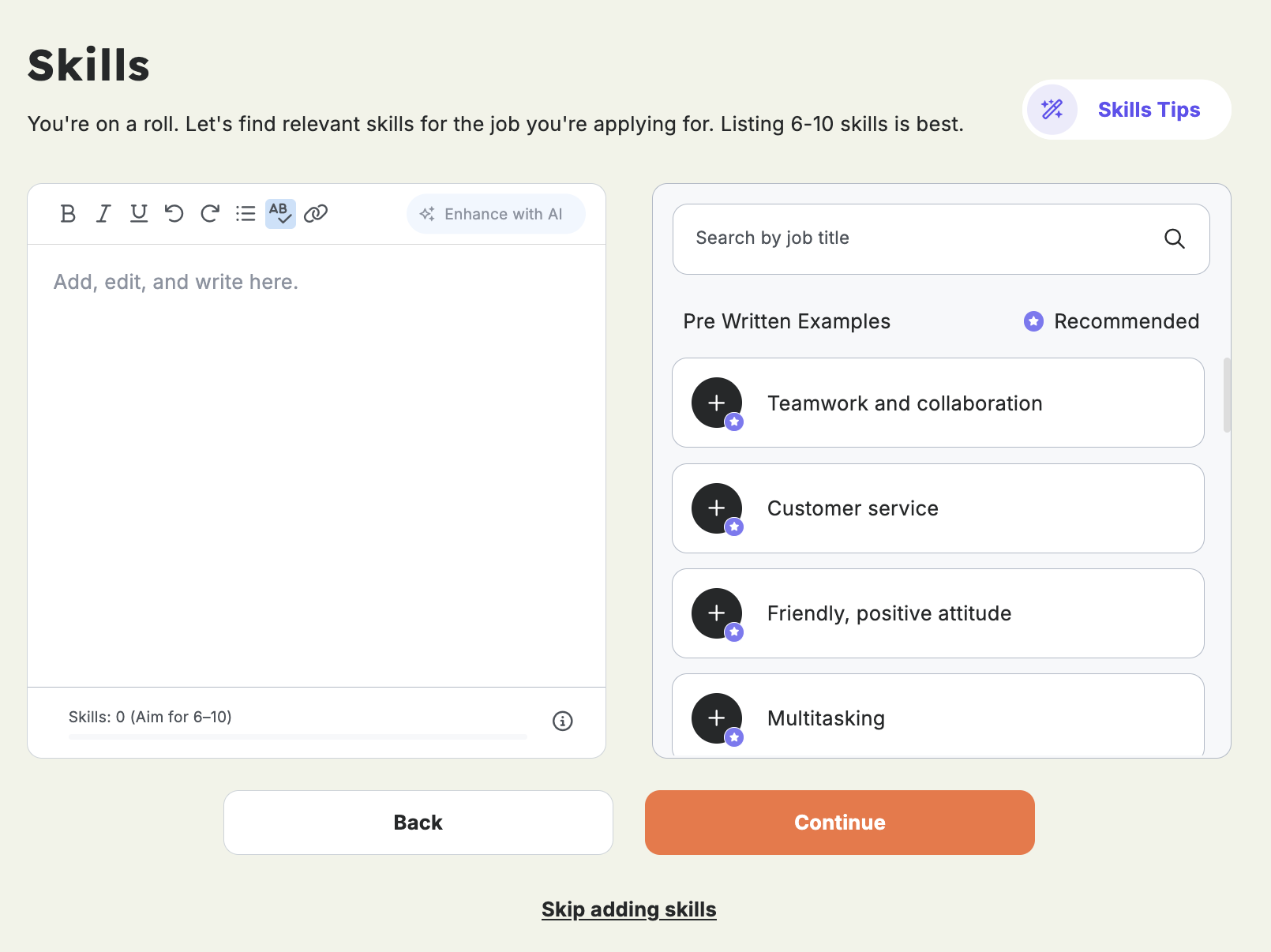
A screenshot of the Resume Genius builder showing the skills section screen.

Write your professional summary

In the last step, the builder will generate a resume summary based on the information you’ve already entered. You can use it as is or edit it to better suit your needs.
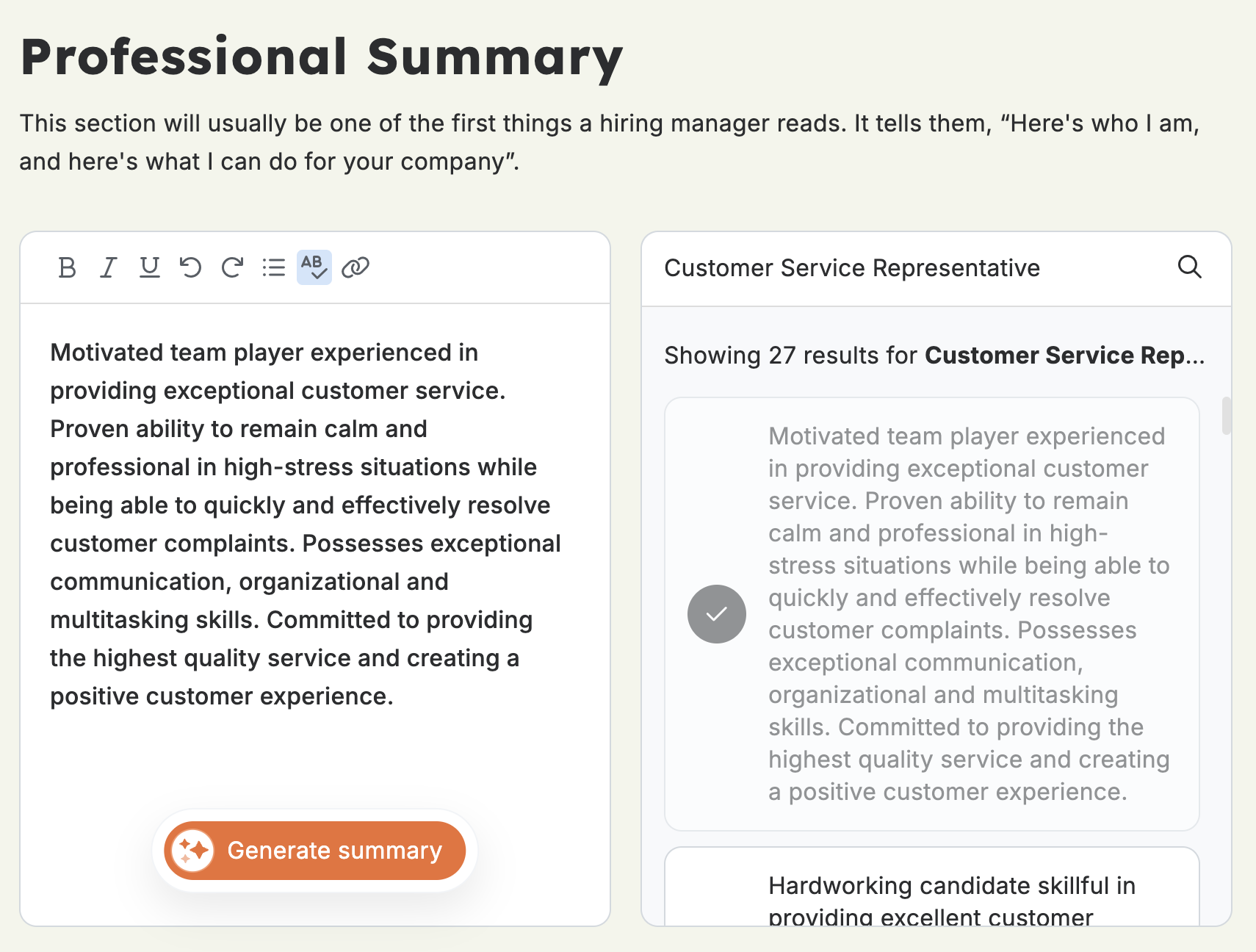
A screenshot of the Resume Genius resume builder showing the professional summary generator page.

Add any optional sections

Finally, you’ll have the option to add optional sections, like Languages, Community Service, or Awards.

You can also add custom sections with whatever header you choose.

Customize your resume’s design and download it

At the end, the builder provides the option to view different templates, change the template color, and adjust the font size and spacing.

You can download your resume for free as a .txt file, or sign up for a paid subscription to download your resume as a Word document or a PDF.

Other tools and features

Resume Genius has a collection of tools and resources for job seekers.

Cover letter builder

Resume Genius’s Cover Letter Builder works the same way as the Resume Builder, walking the user through each step of writing a cover letter.

ATS resume parser

Resume Genius offers an online resume parser that checks your resume for ATS readability and gives you a score based on how compatible it is.

Then, it reviews your resume for spelling, punctuation, formatting, and spacing issues.

Generator tools

Resume Genius has three free generator tools on its website:

  • AI resume generator: This tool uses AI to generate a resume based on a description of your experience, which you can then edit.
  • AI resume summary generator: This tool creates a resume summary based on your answers to a few questions. You can also generate a random resume summary and customize it.
  • AI resume bullet point generator: This tool generates work experience bullet points for any job title you enter.

Free resume and cover letter resources

There are over one hundred free resume templates and cover letter templates on the Resume Genius website.

Also, they have an entire library of downloadable resume examples and cover letter examples for hundreds of job titles. Each example page includes writing tips and free downloadable files.

Frequently asked questions about Resume Genius

Below are answers to some of the most commonly asked questions about Resume Genius:

Is Resume Genius a trusted site?

Resume Genius is a legitimate and secure website for building resumes, cover letters, and optimizing job applications.

It has a 4.6 star rating (out of 5) on Trustpilot, with more than 44,800 reviews.

Is Resume Genius free?

Resume Genius includes many free resources and tools on its website, including templates and examples for resumes and cover letters. Other free tools include AI-powered resume summary and bullet point generators, and a resume parsing tool.

Resume Genius’s resume builder and cover letter builder are free to use to create resume sections and download a plain text file. To download a fully formatted resume or cover letter with a professional template, a paid subscription is required.

How easy is Resume Genius to use?

Many users describe Resume Genius as “easy to use” in their Trustpilot reviews.

The website navigation is clear, and the resume builder walks the user through each step of the process.

Is Resume Genius difficult to cancel?

Resume Genius is easy to cancel. Select “Cancel Subscription” from My Account > My Subscriptions in the builder options.

You can also cancel your subscription by phone, or by email.

Resume Tips icon
Resume Tips
255
Job Tips icon
Job Tips
18
Interview Tips icon
Interview Tips
16
Cover Letter Tips icon
Cover Letter Tips
91
Career Tips icon
Career Tips
16

Recent Posts

  • Sales Associate Resume Examples & Writing Guide
    Resume Tips

    Sales Associate Resume Examples & Writing Guide

    Updated March 2, 2026
  • How to Describe Your Job Responsibilities in an Interview
    Job Tips

    How to Describe Your Job Responsibilities in an Interview

    Updated August 12, 2025
  • Tips and Examples for a Great Internal Position Cover Letter
    Cover Letter Tips

    Tips and Examples for a Great Internal Position Cover Letter

    Updated April 21, 2025
resume builder
bannerImg

ResumeNerd—How We Review Our Content

ResumeNerd is dedicated to providing expert-driven career advice supported by relevant job market research and consistent editorial review. We prioritize accuracy, clarity, and practical solutions for job seekers to make their job search easier and faster. Curious about what others think? Read our user reviews to see how ResumeNerd makes a difference for professionals like you.

  • Link copied!  
Sales Associate Resume Examples & Writing Guide Previous post

About The Author

Cindi Cervone Carlson

Cindi Cervone Carlson

Cindi Cervone Carlson is a Senior Vice President for Challenger, Gray & Christmas, Inc. Cindi is responsible for developing, delivering, and implementing a dynamic, world-class organization dedicated to delivering outplacement consulting, training, support, and executive coaching. Cindi started her career at Challenger as a client who had lost her job. Over the past nine years, she has risen from an entry-level, part-time professional to Senior Vice President.

Related Articles

  • web developer resume
    Resume Tips

    Sales Associate Resume Examples & Writing Guide

    Break into retail or level up your sales career with a resume that highlights your strengths. Our examples and guide show you how to write a...

    Cindi Cervone CarlsonCindi Cervone Carlson
    Updated March 2, 2026
  • Summary 04
    Resume Tips

    The Best Resume Summary Examples and How-to Guide

    Curious about what a professional resume summary statement is, how it’s different from a resume objective, and how to go about writing an e...

    Jessie Oleson MooreJessie Oleson Moore
    Updated April 17, 2025
  • data analyst resume
    Resume Tips

    Write a Better Data Scientist Resume With These Tips

    If you want to write a great data scientist resume, then you need to know how to display your skills. Here’s how you can create a better da...

    Cindi Cervone CarlsonCindi Cervone Carlson
    Updated April 14, 2025
  • Nanny Resume Example
    Resume Tips

    How You Can Write Your Best Graphic Designer Resume

    A graphic design resume should display your skills as well as state them. Design elements are key. Do you know how to make a great graphic de...

    Jessie Oleson MooreJessie Oleson Moore
    Updated April 14, 2025

Resumes

  • Resume Builder
  • Resume Examples
  • Resume Templates
  • Resume Formats
  • How to Make a Resume
  • Create a Resume Now

Cover Letters

  • Cover Letter Builder
  • Cover Letter Examples
  • Cover Letter Templates
  • Cover Letter Formats
  • How to Write a Cover Letter
  • Create a Cover Letter Now

Resources

  • Resume Tips
  • Job Tips
  • Interview Tips
  • Cover Letter Tips
  • Career Tips
  • ResumeNerd Blog

About Us

  • About ResumeNerd
  • Customer Reviews
  • Affiliate program
  • Follow Us on Facebook
  • Do Not Sell or Share My Info

Support

  • 844-363-0076
  • MON-FRI 9AM-8PM EST
  • Email Us
  • Support Center
  • france Français
  • italy Italiano
  • Terms and Conditions
  • Privacy Policy
  • Accessibility
  • Sitemap
© 2026 Specter Technologies Limited SEZC. All rights reserved Resume Nerd
Resume Genius Reviews: Builders, Tools, and Pricing
We review Resume Genius including its resume builder, pricing plans, free tools, and Trustpilot ratings to help you decide if it's right for you.... For more information on "Resume Genius Reviews: Builders, Tools, and Pricing" please visit resumenerd.com